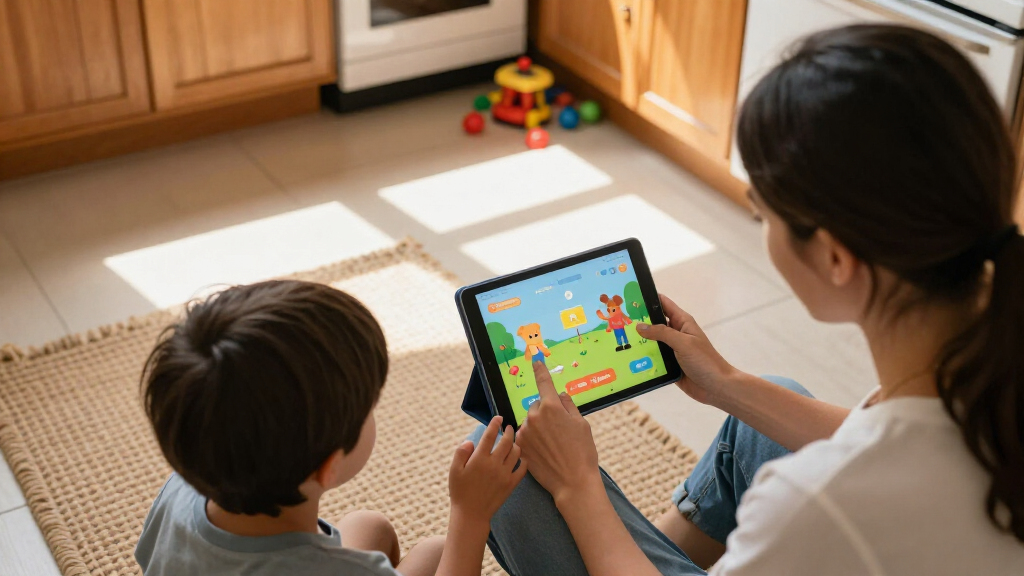

Choosing the best kids tablet comes down to a few core tradeoffs: locked-down ecosystems like Amazon’s Fire lineup versus open Android tablets with Google-style app access, and budget 7-inch models versus faster 10-inch machines that cost a little more. The Amazon Fire HD 8 Kids (2024) stands out as the best overall pick for ages 3–7 because its curated parental controls, bundled kid-proof case, and two-year worry-free replacement guarantee solve the two biggest parent headaches: screen-time management and breakage. If your child is older and wants more apps and headroom, the Evermyth Android 16 tablet with stylus is the stronger premium choice, while the Amazon Fire 7 Kids is the best low-cost entry point for very young children. Budget Android brands like UEMXDOX and COLORROOM offer bigger specs for the money but weaker content curation. Keep reading for the full ranked breakdown of all 15 tablets.

Turn the school run and nap time into listening time
- Thousands of audiobooks, podcasts and originals
- Listen on your phone, tablet or Echo — also offline
- Cancel anytime
Complete the kit


Key Takeaways
- amazon.com/dp/B0BLBLRLJB?tag=motherchronicle-20&ascsubtag=dc-1084389″ target=”_blank” rel=”nofollow sponsored noopener”>amazon.com/dp/B0D38FT41H?tag=motherchronicle-20&ascsubtag=dc-1084389″ target=”_blank” rel=”nofollow sponsored noopener”>Amazon‘s Fire kids lineup dominated the top spots because bundled content curation and a two-year replacement guarantee matter more to parents than raw specs — the Android budget brands still can’t match that safety net.
- Android 15 and 16 tablets from COLORROOM, UEMXDOX, and Evermyth clearly out-spec the Fire tablets on RAM (up to 24GB claimed) and expandable storage (1TB–2TB), making them better for gaming-obsessed kids, but they demand more parental setup effort.
- Storage was the sharpest dividing line: 16GB and 32GB models like the Fire 7 Kids and SVITOO filled up fast with offline video, so 64GB should be the practical floor for most families.
- A 7-inch screen (HOTTABLET, Fire 7) suits small hands and short attention spans, but by age 8 or so, every 10-inch option in this lineup was the better fit for reading, school apps, and video.
- Only three tablets in the group include a stylus or productivity extras (Evermyth), include WiFi 6 (UEMXDOX), or offer the Fire ecosystem’s age-appropriate app store — worth paying attention to if drawing or streaming is the main use case.
| COLORROOM 10.1 inch Android 15 Kids Tablet, Pink |  | Best Battery Life | Operating System: Android 15 | Display: 10.1 inches, 1280 x 800 HD, anti-blue light | Processor: Unisoc Octa-core T606, 2GHz | VIEW LATEST PRICE | See Our Full Breakdown |
| Plimpton Kids Tablet 10.1 Inch, Android 15, Blue |  | Best Overall | Operating System: Android 15 | Display: 10.1-inch HD IPS, 1280 x 800 | Processor: Octa-core, up to 2.0 GHz | VIEW LATEST PRICE | See Our Full Breakdown |
| SVITOO 10.1-Inch Kids Android 16 Tablet, Pink |  | Best for Streaming | Operating System: Android 16 | Display: 10.1-inch HD IPS, 1280 x 800, 16:10 | Processor: Allwinner A333 penta-core | VIEW LATEST PRICE | See Our Full Breakdown |
| HOTTABLET Kids 7-Inch Android Tablet, Blue |  | Best Compact Pick for Young Kids | Operating System: Android 12 | Display: 7-inch IPS, 1024 x 600 | Processor: Quad-core | VIEW LATEST PRICE | See Our Full Breakdown |
| EDDBNi Kids Tablet 10 inch, Android 15, 64GB |  | Best Parental Controls | Operating System: Android 15 | Display: 10.1-inch HD IPS, 1280 x 800, low-blue-light mode | Processor: Quad-core | VIEW LATEST PRICE | See Our Full Breakdown |
| UEMXDOX Kids Tablet, 10-Inch, Android 15 |  | Best Storage and RAM Pick | Operating System: Android 15 | Screen Size: 10 inches | RAM: 8 GB | VIEW LATEST PRICE | See Our Full Breakdown |
| WXUNJA Android 15 Kids Tablet, 10.1 Inch |  | Best Warranty Coverage | Operating System: Android 15 | Screen Size: 10.1 inches, HD IPS | Processor: 2.0 GHz octa-core | VIEW LATEST PRICE | See Our Full Breakdown |
| Amazon Fire HD 8 Kids Tablet (2024 Release) |  | Best Overall | Display: 8-inch HD, 1280 x 800 | Storage: 64 GB, expandable up to 1 TB | RAM: 4 GB | VIEW LATEST PRICE | See Our Full Breakdown |
| Evermyth Android 16 Kids Tablet, 10-Inch |  | Best for Creative Kids | Operating System: Android 16 | Screen Size: 10 inches, HD | RAM: 24 GB (with expansion) | VIEW LATEST PRICE | See Our Full Breakdown |
| Amazon Fire 7 Kids Tablet, 16 GB |  | Best Budget First Tablet | Display: 7-inch, 1024 x 600 | Processor: Quad-core 2.0 GHz | RAM: 2 GB | VIEW LATEST PRICE | See Our Full Breakdown |
| Kids Android 16 Tablet, 10-inch Octa-Core with Protective Case, 64GB Storage, Purple |  | Best for Growing Media Libraries | Operating System: Android 16 | Processor: T7280 octa-core, up to 2.2 GHz | RAM: 6 GB + 24 GB virtual RAM | VIEW LATEST PRICE | See Our Full Breakdown |
| 10-Inch Android 16 Kids Tablet with Parental Controls, Teal |  | Best Connectivity Pick | Operating System: Android 16 | Processor: UNISOC T7200 octa-core | Display: 10-inch IPS, 1280 x 800 | VIEW LATEST PRICE | See Our Full Breakdown |
| Amazon Fire HD 8 Kids Pro Tablet, 64GB, Hello Teal |  | Best Ecosystem and Warranty | Screen: 8-inch HD | Recommended Age: 6–12 years | Storage: 64GB internal, expandable to 1TB (card sold separately) | VIEW LATEST PRICE | See Our Full Breakdown |
| URAO 10-Inch Kids Tablet, Android 16, 64GB Storage, with Protective Case |  | Best Budget Runner-Up | Operating System: Android 16 | RAM: 24GB (mostly virtual) | Storage: 64GB internal, expandable to 1TB via microSD (not included) | VIEW LATEST PRICE | See Our Full Breakdown |
| ApoloSignage 10-Inch Kids Tablet, Android 16, 8GB RAM, 64GB Storage, Blue |  | Best for Travel-Ready Supervised Use | Operating System: Android 16 | Processor: Octa-core | RAM: 8GB (3GB dedicated + 5GB virtual) | VIEW LATEST PRICE | See Our Full Breakdown |
| kids tablet | Storage | Operating System | Processor | Display |
|---|---|---|---|---|
| COLORROOM 10.1 inch Android 15 | 64GB, expandable to 1TB via microSD | Android 15 | Unisoc Octa-core T606, 2GHz | 10.1 inches, 1280 x 800 HD, anti-blue light |
| Plimpton Kids Tablet 10.1 Inch | 64GB, expandable to 1TB | Android 15 | Octa-core, up to 2.0 GHz | 10.1-inch HD IPS, 1280 x 800 |
| SVITOO 10.1-Inch Kids Android | 32GB, expandable to 1TB via microSD (sold separately) | Android 16 | Allwinner A333 penta-core | 10.1-inch HD IPS, 1280 x 800, 16:10 |
| HOTTABLET Kids 7-Inch Android | 32GB, expandable to 1TB | Android 12 | Quad-core | 7-inch IPS, 1024 x 600 |
| EDDBNi Kids Tablet 10 inch | 64GB, expandable to 1TB via microSD | Android 15 | Quad-core | 10.1-inch HD IPS, 1280 x 800, low-blue-light mode |
| UEMXDOX Kids Tablet | 64 GB, expandable to 512 GB | Android 15 | — | — |
| WXUNJA Android 15 Kids Tablet | 64 GB, microSD up to 1 TB | Android 15 | 2.0 GHz octa-core | — |
| Amazon Fire HD 8 Kids Tablet | 64 GB, expandable up to 1 TB | — | Hexa-core 2.0 GHz | 8-inch HD, 1280 x 800 |
| Evermyth Android 16 Kids Table | 64 GB, up to 1 TB via TF card | Android 16 | — | — |
| Amazon Fire 7 Kids Tablet | 16 GB (9.5 GB usable), expandable to 1 TB | — | Quad-core 2.0 GHz | 7-inch, 1024 x 600 |
| Kids Android 16 Tablet | 64 GB internal, expandable to 2 TB via microSD (sold separately) | Android 16 | T7280 octa-core, up to 2.2 GHz | 10-inch IPS HD, 1280 x 800 |
| 10-Inch Android 16 Kids Tablet | — | Android 16 | UNISOC T7200 octa-core | 10-inch IPS, 1280 x 800 |
| Amazon Fire HD 8 Kids Pro Tabl | 64GB internal, expandable to 1TB (card sold separately) | — | Hexa-core | — |
| URAO 10-Inch Kids Tablet | 64GB internal, expandable to 1TB via microSD (not included) | Android 16 | — | 10-inch IPS HD touchscreen, 1280 x 800 |
| ApoloSignage 10-Inch Kids Tabl | 64GB, expandable up to 1TB | Android 16 | Octa-core | 10-inch IPS HD touchscreen, 1280 x 800 |
More Details on Our Top Picks
COLORROOM 10.1 inch Android 15 Kids Tablet, Pink
Among the 10-inch options in this lineup, this COLORROOM model stands out for its 6000mAh battery rated for 8-12 hours, which gives it the edge over the EDDBNi tablet, whose battery life is listed only as “optimized” with no concrete figure. A full school day or a long road trip without hunting for an outlet is a real outcome, and that alone justifies its place here.
Hardware-wise, the 10GB of RAM is partly virtual memory (4GB physical plus 6GB extended), so buyers should temper expectations — it will not feel like a true 10GB device. Still, compared with the SVITOO’s penta-core chip, the octa-core Unisoc T606 is a more capable platform for apps and video. The 1280 x 800 display is fine for cartoons but modest for reading, and the initial charge takes at least three hours out of the box.
Pros:- 8-12 hour battery rating outlasts most rivals in this lineup
- Google Kids Space and parental controls included out of the box
- 1TB microSD expansion leaves huge headroom for downloads
- Long 5-year protection plan and 180-day money-back guarantee
Cons:- RAM figure relies on virtual memory, not dedicated hardware
- 1280 x 800 resolution looks soft on a 10.1-inch panel
- First charge requires three or more hours
Best for: Parents prioritizing all-day battery for travel, school days, or long car rides
Not ideal for: Buyers who want crisp text on a big screen — the resolution is the weak point at this size
- Operating System:Android 15
- Display:10.1 inches, 1280 x 800 HD, anti-blue light
- Processor:Unisoc Octa-core T606, 2GHz
- RAM:10GB (4GB + 6GB virtual)
- Storage:64GB, expandable to 1TB via microSD
- Battery:6000mAh, 8-12 hours
- Audio:Dual stereo speakers
- Warranty:180-day money-back, 5-year protection
Our verdict“A sensible pick for families who value runtime above screen sharpness and want software support for years of use.”
Plimpton Kids Tablet 10.1 Inch, Android 15, Blue
This Plimpton earns the top spot because it balances everything a kids tablet needs without a glaring weakness. The rugged EVA case with a 360-degree rotatable bracket is more versatile than the fixed stands on the HOTTABLET or EDDBNi — kids can prop it portrait for reading apps or landscape for video, and the case shrugs off the drops that come with that flexibility.
Google Kids Space with parental controls covers content filtering and screen-time management the way the COLORROOM does, but Plimpton pairs it with a third-generation design that feels more finished. Tradeoffs exist: the 1280 x 800 IPS screen is the same modest resolution as nearly every 10-inch tablet here, and Plimpton is vague about battery capacity — there is no published hour rating, so buyers who need guaranteed all-day runtime should lean toward the COLORROOM instead.
Pros:- Rotatable 360-degree bracket handle doubles as a stand in any orientation
- Google Kids Space with screen-time and content management
- IPS display with low blue light and eye protection modes
- 2-year manufacturer warranty and 1TB expandable storage
Cons:- No published battery capacity or hour rating
- 1280 x 800 resolution is merely adequate at 10.1 inches
- Kid-focused software limits its usefulness as a shared family device
Best for: Families wanting a well-rounded 10-inch tablet with a flexible stand and full parental controls
Not ideal for: Buyers who need a firm battery-life guarantee before purchasing — no concrete capacity is published
- Operating System:Android 15
- Display:10.1-inch HD IPS, 1280 x 800
- Processor:Octa-core, up to 2.0 GHz
- RAM:4GB
- Storage:64GB, expandable to 1TB
- Connectivity:WiFi, Bluetooth 5.3
- Case:Rugged EVA with 360-degree rotatable bracket
- Warranty:2 years
Our verdict“The most complete package here for most families, as long as vague battery specs don’t bother you.”
SVITOO 10.1-Inch Kids Android 16 Tablet, Pink
Most budget kids tablets quietly cut corners on streaming certification, and that is where the SVITOO differs: Widevine L1 support means apps like Netflix will play in actual HD rather than downgraded SD. Paired with Android 16 — newer than the Android 15 on the Plimpton and COLORROOM — it is the pick for households where video is the main event. Dual-band Wi-Fi and screen casting round out a genuinely streaming-first feature set.
The tradeoffs are real. The Allwinner A333 penta-core processor is weaker than the octa-core chips in the Plimpton or COLORROOM, so gaming and app-switching feel slower despite the headline 20GB RAM (mostly virtual). Base storage is just 32GB, and the microSD card needed to fix that is sold separately. Face unlock and night mode are nice extras; the missing GPS and split-screen will matter little to most kids.
Pros:- Widevine L1 enables true HD streaming from major apps
- Android 16 is the most current OS in this batch
- Dual-band Wi-Fi and wireless screen casting included
- Shockproof pink case with foldable stand and face unlock
Cons:- Weakest processor of the 10-inch picks here
- Only 32GB base storage, and the microSD card costs extra
- No split-screen or built-in GPS
Best for: Stream-first families who want certified HD video playback and the newest Android version
Not ideal for: Kids who play games heavily — the penta-core chip lags the octa-core alternatives in this lineup
- Operating System:Android 16
- Display:10.1-inch HD IPS, 1280 x 800, 16:10
- Processor:Allwinner A333 penta-core
- RAM:20GB (3GB + 17GB virtual)
- Storage:32GB, expandable to 1TB via microSD (sold separately)
- Battery:6000mAh, up to 8 hours
- Cameras:8MP rear, 2MP front
- Connectivity:Dual-band Wi-Fi, Bluetooth 5.3, USB-C
Our verdict“Choose this for a video-first kid tablet on a budget; skip it if apps and games come before shows.”
HOTTABLET Kids 7-Inch Android Tablet, Blue
Size is the whole argument here. While the Plimpton and COLORROOM offer 10.1-inch screens, a 7-inch tablet is simply easier for a four-year-old to hold, and the included protective case doubles as a stand for hands-free cartoons. For preschool-aged children, this smaller footprint makes more sense than any of the big-screen options in this roundup.
The compromises are obvious once you compare specs. It runs Android 12 — several generations behind the Android 15 and 16 tablets elsewhere in this list — and the 1024 x 600 display is the lowest resolution here, so text and fine detail look soft. The quad-core chip and 2GB of physical RAM (4GB claimed with expansion) are fine for kids’ apps but sluggish for anything more. Compared with the Amazon Fire 7 Kids, this gives you the full Google Play ecosystem, which many parents will prefer over Amazon’s curated store.
Pros:- Compact 7-inch size is ideal for small hands
- Protective case doubles as a viewing stand
- Full Google Play access rather than a locked app store
- Dual cameras, Wi-Fi, Bluetooth, and USB-C at an entry-level price point
Cons:- 1024 x 600 is the lowest-resolution display in this lineup
- Android 12 is several versions behind rival tablets
- Only 2GB of physical RAM limits multitasking
Best for: Parents of preschoolers who want a light, small tablet that small hands can actually grip
Not ideal for: School-age kids doing reading apps or video lessons — the low-res screen and dated Android 12 hold it back
- Operating System:Android 12
- Display:7-inch IPS, 1024 x 600
- Processor:Quad-core
- RAM:4GB (2GB physical + 2GB expandable)
- Storage:32GB, expandable to 1TB
- Battery:3000mAh, up to 8 hours mixed use
- Cameras:2MP front, 5MP rear
- Warranty:1 year
Our verdict“A budget-friendly first tablet for very young children, provided you accept dated software and a soft screen.”
EDDBNi Kids Tablet 10 inch, Android 15, 64GB
Where other tablets here treat parental controls as a checkbox, EDDBNi builds the whole product around supervision. The control suite covers screen-time limits, app approval, content filtering, and daily usage caps — more granular than the general management tools on the HOTTABLET or SVITOO. Google Kids Space and the age rating from 3 years up make this the strongest choice for caregivers who want tight oversight of younger children.
Its weaknesses are connectivity and transparency. It supports 2.4GHz Wi-Fi only, while the SVITOO offers dual-band and the UEMXDOX elsewhere in this roundup includes WiFi 6 — in a busy household with congested networks, that single band can mean buffering. Battery life is described as merely “optimized” with no hour rating, unlike the COLORROOM’s concrete 8-12 hour claim, so all-day use is a gamble. The quad-core processor also trails the octa-core Plimpton for speed.
Pros:- Most granular parental controls in this batch: app approval, filtering, daily limits
- Low-blue-light display with eye-protection mode and auto brightness
- Durable EVA case with built-in stand
- 2-year warranty and 1TB expandable storage
Cons:- 2.4GHz-only Wi-Fi with no 5GHz band support
- No concrete battery-life rating published
- Quad-core chip is slower than octa-core rivals like the Plimpton
Best for: Parents of young children (3+) who want the most detailed screen-time and content controls available
Not ideal for: Households with crowded Wi-Fi networks — 2.4GHz-only connectivity will frustrate streaming
- Operating System:Android 15
- Display:10.1-inch HD IPS, 1280 x 800, low-blue-light mode
- Processor:Quad-core
- Storage:64GB, expandable to 1TB via microSD
- Software:Google Kids Space, Gemini AI access
- Connectivity:2.4G WiFi only
- Case:Kid-proof EVA case with stand
- Recommended Age:3 years and up
- Warranty:2 years
Our verdict“The right pick when supervision matters more than raw performance — just check your home network can live with single-band Wi-Fi.”
UEMXDOX Kids Tablet, 10-Inch, Android 15
This option stands out for 8GB of real RAM, which puts it ahead of spec-sheet rivals like the WXUNJA, whose “21GB” figure relies heavily on slower virtual memory. That difference matters when a child jumps between educational apps, videos, and games — this model holds up better under multitasking. The 512GB expansion ceiling is lower than the 1TB offered elsewhere in this lineup, but still generous for a young user. Google Kids Space plus Family Link gives parents remote screen-time and content management without extra apps.
The tradeoff is battery life of roughly 5 hours, the shortest run time among the 10-inch picks here, and some users report temporary heating or slowdown during initial app loading. The durable multi-angle case partially compensates, making this a strong choice for kids who park the tablet at a desk rather than carry it all day.
Pros:- 8GB of genuine RAM outperforms virtual-memory rivals in real multitasking
- Google Kids Space and Family Link parental controls are ready out of the box
- Multi-angle protective case suits both video watching and desk work
- Storage expandable to 512GB covers years of app and media growth
Cons:- Around 5 hours of battery life trails every other 10-inch option here
- Initial app loading can cause temporary heating, slowdowns, or screen freezes
- microSD card for expansion is sold separately
Best for: Parents of kids ages 3+ who load lots of apps and media and want smooth multitasking without constant storage anxiety
Not ideal for: Families with long car trips or school days away from a charger — the 5-hour battery is the weakest in this batch
- Operating System:Android 15
- Screen Size:10 inches
- RAM:8 GB
- Storage:64 GB, expandable to 512 GB
- Connectivity:WiFi 6, Bluetooth 5
- Battery:5000 mAh, up to 5 hours
- Age Range:3+
- Warranty:1 year
Our verdict“This pick makes the most sense for families who prioritize performance and storage over portability and battery endurance.”
WXUNJA Android 15 Kids Tablet, 10.1 Inch
Where most tablets in this roundup carry a one-year warranty, the WXUNJA backs its hardware with five years of coverage — an unusual commitment for a kids device, and the single biggest reason it earns a slot. Compared with the UEMXDOX, its 18W fast charging and 6000mAh battery mean less time tethered to an outlet, though its “21GB” of RAM is mostly virtual memory, so it will not feel as quick under heavy app switching.
The 1TB microSD ceiling matches the Evermyth and beats the UEMXDOX, and the eye-comfort HD IPS display with wide viewing angles is well suited to shared video watching. The compromises are familiar: 1280 x 800 resolution is short of Full HD, and 64GB of built-in storage fills up quickly with downloaded videos and games. The pink EVA case with adjustable stand rounds out a package aimed squarely at younger, media-hungry users.
Pros:- Five-year warranty is the longest coverage in this roundup
- 18W fast charging refills the 6000mAh battery faster than most rivals
- microSD expansion up to 1TB for large media libraries
- Eye-comfort IPS display with wide viewing angles
Cons:- Only 3GB of physical RAM — the rest is slower virtual memory
- 1280 x 800 resolution lags behind sharper panels elsewhere
- 64GB built-in storage can fill quickly without a card
Best for: Budget-conscious parents who want long-term hardware protection and fast top-ups for a video-loving child
Not ideal for: Buyers expecting crisp visuals — the 1280 x 800 panel falls below Full HD and shows its limits on detailed content
- Operating System:Android 15
- Screen Size:10.1 inches, HD IPS
- Processor:2.0 GHz octa-core
- Storage:64 GB, microSD up to 1 TB
- Battery:6000 mAh, up to 6 hours video
- Charging:18W PD fast charging
- Age Range:3+ years
- Warranty:5 years
Our verdict“A sensible pick if warranty peace of mind and battery convenience matter more to you than raw sharpness or speed.”
Amazon Fire HD 8 Kids Tablet (2024 Release)
Among all fifteen tablets in this roundup, the Fire HD 8 Kids comes closest to solving the two problems parents actually complain about: broken hardware and dead batteries. Its 2-year worry-free guarantee replaces a shattered tablet for free — no independent brand here, not even WXUNJA’s five-year warranty, offers that same no-questions replacement. And at up to 13 hours of battery life, it more than doubles the endurance of the UEMXDOX and WXUNJA, which is the difference between charging nightly and charging twice a day.
The bundled 6 months of Amazon Kids+ delivers curated, ad-free content from Disney, PBS Kids, and Nickelodeon, a content ecosystem the generic Android tablets can’t replicate — though the subscription auto-renews monthly after the trial. The closed ecosystem also limits app choice compared to full Android options like the Evermyth, and the 2 MP camera is mediocre. For ages 3-7, those tradeoffs are easy to accept.
Pros:- 2-year worry-free guarantee replaces broken tablets at no cost
- Up to 13 hours of battery life leads this entire roundup
- Curated, ad-free Kids+ content from Disney, PBS Kids, and Nickelodeon
- Sturdy kid-proof case doubles as a stand and handle
Cons:- Amazon Kids+ auto-renews as a paid subscription after the included period
- Closed Amazon ecosystem limits app selection versus Android rivals
- Only 54GB of the 64GB is usable, and the 2 MP camera is weak
Best for: Parents of kids ages 3-7 who want curated content, all-day battery, and guaranteed replacement if the tablet gets destroyed
Not ideal for: Families who want full Google Play access or dislike subscription services — the Kids+ renewal and Amazon’s closed ecosystem will chafe
- Display:8-inch HD, 1280 x 800
- Storage:64 GB, expandable up to 1 TB
- RAM:4 GB
- Processor:Hexa-core 2.0 GHz
- Battery Life:Up to 13 hours
- Age Range:3-7 years
- Guarantee:2-year worry-free replacement
Our verdict“The most complete package for young kids: durable, long-lasting, and content-rich, provided you’re comfortable inside Amazon’s ecosystem.”
Evermyth Android 16 Kids Tablet, 10-Inch
This is the only tablet in this batch that ships with a stylus, which immediately changes what a child can do with it: tracing letters, drawing, and early handwriting practice become first-class activities rather than finger-smudge approximations. Compared to the Amazon Fire HD 8 Kids, the Evermyth trades the curated-content comfort of Amazon’s ecosystem for full Android 16 openness, plus WiFi 6 and Bluetooth 5.4 — connectivity the Fire tablets lack. Its 8MP autofocus rear camera also easily outclasses the 2 MP shooters on both Fire models.
The UKIDOZ Kids Space layer with parental controls keeps the experience age-appropriate for the 3-12 range, wider than Amazon’s 3-7 target. The compromises: charging is limited to a slow 5V 2A, the display is vaguely specified as “HD” with no published resolution, and the 1TB expansion card isn’t in the box. For a child who creates rather than just watches, those are tolerable gaps.
Pros:- Included stylus enables drawing, tracing, and handwriting practice
- Full Android 16 with WiFi 6 and Bluetooth 5.4 outpaces Fire tablets on connectivity
- 8MP autofocus rear camera is far better than rivals’ 2 MP sensors
- Wide 3-12 age range with adjustable parental controls
Cons:- 5V 2A charging is noticeably slower than WXUNJA’s 18W fast charging
- Display resolution is not specified, a real transparency gap
- 1TB expansion card is not included
Best for: Kids ages 3-12 who love drawing and writing, and parents who want full Android flexibility with parental guardrails
Not ideal for: Buyers who value transparency — the unspecified display resolution makes it hard to judge screen quality before purchase
- Operating System:Android 16
- Screen Size:10 inches, HD
- RAM:24 GB (with expansion)
- Storage:64 GB, up to 1 TB via TF card
- Battery:6000 mAh
- Cameras:5 MP front, 8 MP AF rear
- Connectivity:WiFi 6, Bluetooth 5.4
- Included:Case, stylus, charger, cables
- Warranty:1 year
Our verdict“The clear choice for creative kids who will actually use the stylus, as long as slow charging and vague display specs don’t bother you.”
Amazon Fire 7 Kids Tablet, 16 GB
As the most affordable path into Amazon’s kids ecosystem, the Fire 7 Kids inherits the two features that make its sibling, the Fire HD 8 Kids, the top overall pick: the 2-year worry-free replacement guarantee and a bundled Amazon Kids+ subscription — here a full year, double the HD 8’s six months. It also matches the HD 8’s expandable storage up to 1TB and strong parental controls, so a first-time buyer gives up surprisingly little ecosystem-wise.
What you sacrifice is hardware: the 7-inch, 1024 x 600 screen is the smallest and softest in this roundup, only 9.5GB of the 16GB is user-accessible, and 2GB of RAM means it will feel sluggish next to the UEMXDOX or Evermyth. The roughly 10-hour battery is respectable but shy of the HD 8’s 13. For a 3-5 year old watching shows and playing simple games, those limits rarely bite; for an older child, they will.
Pros:- 2-year worry-free guarantee at the lowest entry price in this lineup
- Full year of Amazon Kids+ included — longer than the HD 8’s trial
- Up to 10 hours of battery life for a full day of use
- Expandable storage up to 1TB via microSD
Cons:- Only 9.5GB of the 16GB internal storage is available to users
- 7-inch 1024 x 600 display is the smallest and lowest-resolution here
- Kids+ subscription renews monthly after the included year unless canceled
Best for: Parents buying a first tablet for a young child (ages 3-5) who want ecosystem safety and breakage protection at the lowest entry cost
Not ideal for: Older or app-hungry kids — the small low-res screen, 2GB of RAM, and 9.5GB of usable storage will frustrate them quickly
- Display:7-inch, 1024 x 600
- Processor:Quad-core 2.0 GHz
- RAM:2 GB
- Storage:16 GB (9.5 GB usable), expandable to 1 TB
- Battery Life:Up to 10 hours
- Age Range:3-7 years
- Included:Kid-proof case, 1-year Amazon Kids+
- Guarantee:2-year worry-free replacement
Our verdict“A smart low-risk first tablet for very young kids, as long as you accept it will be outgrown within a couple of years.”
Kids Android 16 Tablet, 10-inch Octa-Core with Protective Case, 64GB Storage, Purple
This pick stands out for one thing none of the other Android 16 options in this lineup can match: storage headroom up to 2TB via microSD. For families whose kids accumulate downloaded videos, offline learning apps, and games, that ceiling matters far more in practice than the difference between 1TB (ApoloSignage) or 1TB (URAO) expansion. The 6GB of dedicated RAM is also the most honest memory configuration here, and it shows in smoother app switching than the URAO, whose advertised 24GB leans heavily on virtual memory. The bundled adjustable-stand case and 8-hour battery with 2-hour charging make it practical for long car rides. The tradeoff is the same 1280 x 800 panel every 10-inch tablet in this roundup uses, so expect adequate rather than crisp visuals. Buyers should also budget for a microSD card, since the expansion slot is empty out of the box.
Pros:- Genuine 6GB of dedicated RAM, more real memory than most rivals in this lineup
- 2TB maximum expansion, double the ceiling of the URAO and ApoloSignage
- 8-hour battery with a fast 2-hour full charge
- Protective case with adjustable stand included
Cons:- Advertised 30GB total RAM is inflated by virtual memory beyond the 6GB dedicated
- microSD card required for expansion is sold separately
- 1280 x 800 resolution is merely adequate on a 10-inch panel
Best for: Families whose kids download large video libraries and offline apps and will actually fill a 1TB-plus card
Not ideal for: Parents who want maximum battery endurance — the Fire HD 8 Kids Pro roughly doubles its 8-hour runtime
- Operating System:Android 16
- Processor:T7280 octa-core, up to 2.2 GHz
- RAM:6 GB + 24 GB virtual RAM
- Storage:64 GB internal, expandable to 2 TB via microSD (sold separately)
- Display:10-inch IPS HD, 1280 x 800
- Battery:Up to 8 hours use, ~2 hours charge time
- Parental Controls:Google Kids Space with filters and time limits
- Recommended Age:3–12 years
Our verdict“This is the pick for parents who know their child’s tablet will become a portable video library and need the storage to match.”
10-Inch Android 16 Kids Tablet with Parental Controls, Teal
Among the Android 16 tablets here, this teal model earns its spot on dual-band Wi-Fi — a genuine differentiator when the SVITOO and most budget rivals in this roundup sit on congested 2.4GHz-only networks. If your home router is far from the playroom or you stream video often, 5GHz support means fewer buffering tantrums. Like the purple B0GSG2G4N5, it ships with Google Kids Space, profile-based screen time limits, and content filtering, wrapped in an EVA case with a foldable stand. Compared with that purple pick, you give up the larger 2TB expansion ceiling and the stated battery runtime — the 6000mAh cell is listed without an hours figure, which is a meaningful unknown. The blue light reduction mode and USB-C charging round out a package that trades storage ambition for network reliability.
Pros:- Dual-band Wi-Fi (2.4GHz/5GHz) for more reliable streaming than single-band rivals
- GMS-certified Google Play access with Kids Space parental controls
- Teal EVA protective case and foldable stand included
- Blue light reduction mode for evening use
Cons:- Battery runtime is not specified despite the 6000mAh capacity
- 1280 x 800 display matches the rest of the budget field rather than exceeding it
Best for: Households with busy Wi-Fi environments or streaming-heavy kids who need stable 5GHz connections
Not ideal for: Buyers who want a guaranteed runtime figure — the unspecified battery life makes trip planning a guess
- Operating System:Android 16
- Processor:UNISOC T7200 octa-core
- Display:10-inch IPS, 1280 x 800
- Battery:6000mAh, runtime not specified
- Connectivity:Dual-band Wi-Fi (2.4/5GHz), Bluetooth 5.4
- Parental Controls:Google Kids Space with profiles, time limits, and content filtering
- Included Accessories:Teal EVA case and foldable stand
Our verdict“Choose this one when your priority is a tablet that stays connected in a crowded wireless home rather than one with the biggest specs sheet.”
Amazon Fire HD 8 Kids Pro Tablet, 64GB, Hello Teal
The Fire HD 8 Kids Pro plays a completely different game from the Android 16 tablets around it. Instead of raw specs, Amazon sells a wrapped ecosystem: a year of Amazon Kids+ delivers ad-free, curated content out of the box, so there is no app-store curation work for parents on day one. The two-year worry-free replacement guarantee is the real headline — no other tablet in this roundup offers anything comparable, and for a 6-to-12-year-old who drops things, that safety net can outweigh a smaller 8-inch screen. Battery life of up to 13 hours beats every Android pick here, including the purple B0GSG2G4N5’s 8 hours. The tradeoffs are structural: no Google Play access, a 1280 x 800-class display on a smaller panel, and a Kids+ subscription that renews monthly after the first year unless you cancel. Expansion tops out at 1TB, half the purple tablet’s ceiling.
Pros:- Two-year worry-free replacement guarantee, unique in this lineup
- Up to 13 hours of battery life, the longest here
- One year of ad-free Amazon Kids+ content included
- Slim, kid-friendly case with mature styling for older children
Cons:- Amazon Kids+ auto-renews monthly after the included year unless canceled
- Locked to Amazon’s app ecosystem rather than Google Play
- Expandable storage card sold separately
Best for: Parents of 6–12-year-olds who want curated content, minimal setup, and breakage coverage
Not ideal for: Families wanting full Google Play freedom or large 10-inch screens — the 8-inch panel and Amazon app store are limiting
- Screen:8-inch HD
- Recommended Age:6–12 years
- Storage:64GB internal, expandable to 1TB (card sold separately)
- Processor:Hexa-core
- Battery Life:Up to 13 hours
- Included Subscription:1 year of Amazon Kids+
- Guarantee:2-year worry-free replacement
Our verdict“If content curation and a two-year breakage guarantee matter more than screen size, this is the safest long-term ownership bet in the roundup.”
URAO 10-Inch Kids Tablet, Android 16, 64GB Storage, with Protective Case
The URAO sits in the value tier of this roundup, and its strongest card is charging speed: a full battery in roughly 1.5 hours, faster than the purple B0GSG2G4N5’s 2-hour figure and quicker than anything else listed here. Its low-blue-light reading mode and silicone case with adjustable stand cover the essentials, and 1TB microSD expansion keeps it relevant for media-heavy households. Where it falls short against the purple pick is raw performance honesty — the advertised 24GB RAM is mostly virtual memory, so expect budget-tier responsiveness, closer to the EDDBNi quad-core than to a true 6GB device. The battery rating of “at least 6 hours” is the softest endurance claim in this batch, and compared with the Fire HD 8 Kids Pro’s 13 hours, it is half the stamina. This pick makes the most sense for a first tablet or a secondary device where downtime between charges is acceptable.
Pros:- Fastest full-charge time in this batch at roughly 1.5 hours
- 1TB microSD expansion for adding media later
- Protective silicone case with adjustable stand included
- Low-blue-light reading mode plus screen-time and content controls
Cons:- Advertised 24GB RAM is mostly virtual memory, not dedicated
- Battery rated at only “at least 6 hours,” the lowest stated runtime here
- microSD card not included
Best for: Buyers seeking a low-cost first tablet for occasional use where fast recharging offsets short battery life
Not ideal for: Long road trips or all-day use — the 6-hour battery floor is the weakest in this lineup
- Operating System:Android 16
- RAM:24GB (mostly virtual)
- Storage:64GB internal, expandable to 1TB via microSD (not included)
- Display:10-inch IPS HD touchscreen, 1280 x 800
- Battery:At least 6 hours use, up to 3 days standby
- Charging:USB-C, full charge in ~1.5 hours
- Included Accessories:Protective silicone case with adjustable stand
Our verdict“A reasonable starter tablet if your child uses it in short sessions near a charger, but not for travel-heavy families.”
ApoloSignage 10-Inch Kids Tablet, Android 16, 8GB RAM, 64GB Storage, Blue
The ApoloSignage earns its place by pairing Google Kids Space with automatic eye comfort — auto-brightness plus blue light reduction that adjusts without parental intervention, something the URAO’s manual reading mode and the teal B0H4V5PRN9’s simpler filter don’t fully replicate. The stated RAM configuration of 3GB dedicated plus 5GB virtual lands it between the URAO’s mostly-virtual figure and the purple tablet’s genuine 6GB, so expect middle-of-the-pack performance. Compared with the purple pick, the 5000mAh battery is smaller and, like the teal model, no runtime hours are quoted — a real drawback for planning flights or car trips. The included case with adjustable stand matches the rest of the field, and 1TB expansion covers most realistic media needs. This model is better suited to supervised home use with a charger nearby than to independent travel duty.
Pros:- Auto-brightness and blue light reduction work without manual adjustment
- Google Kids Space and parental controls built in
- 1TB storage expansion for media growth
- Protective case with adjustable stand included
Cons:- Battery life is not specified and the 5000mAh cell is the smallest in this batch
- 8GB RAM claim combines 3GB dedicated with 5GB virtual memory
- 1280 x 800 resolution offers no visual advantage over cheaper rivals
Best for: Parents of 3–12-year-olds who want set-and-forget eye protection and a curated Kids Space environment
Not ideal for: Travel-focused buyers — the 5000mAh battery with no stated runtime is the least reassuring power story here
- Operating System:Android 16
- Processor:Octa-core
- RAM:8GB (3GB dedicated + 5GB virtual)
- Storage:64GB, expandable up to 1TB
- Display:10-inch IPS HD touchscreen, 1280 x 800
- Battery:5000mAh, runtime not specified
- Recommended Age:3–12 years
Our verdict“A solid supervised-use tablet whose automatic eye-comfort features shine at home, but look elsewhere if battery confidence away from a charger is a priority.”
How We Picked
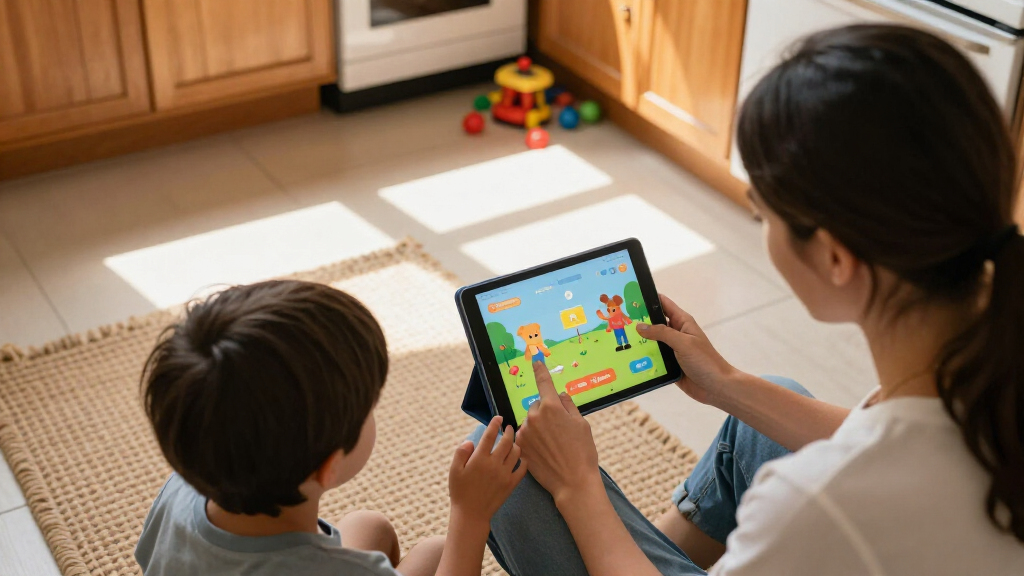
I ranked these tablets through the lens of what actually determines whether a kids tablet succeeds in a household: durability and case quality, quality of parental controls, hardware headroom (RAM, storage, expandability), screen size matched to age, and overall value once you factor in bundled accessories and replacement policies. Ecosystem tablets like the Fire lineup scored well on software safety nets and warranty coverage, while open Android tablets earned their rank through faster chips, newer OS versions, and larger storage ceilings — but were marked down when parental controls leaned entirely on Google Family Link rather than purpose-built kids software.
The ranking order also reflects a simple reality: a tablet that breaks or exposes a child to the open internet fails regardless of its specs. That’s why Amazon’s kids editions sit near the top despite modest hardware, and why budget Android brands with big RAM numbers but generic parental control apps land mid-pack. Models with 16–32GB of storage or aging processors were placed lower because they frustrate kids and parents within the first year of ownership.
| kids tablet | Operating System |
|---|---|
| COLORROOM 10.1 inch Android 15 | Android 15 |
| Plimpton Kids Tablet 10.1 Inch | Android 15 |
| SVITOO 10.1-Inch Kids Android | Android 16 |
| HOTTABLET Kids 7-Inch Android | Android 12 |
| EDDBNi Kids Tablet 10 inch | Android 15 |
| UEMXDOX Kids Tablet | Android 15 |
| WXUNJA Android 15 Kids Tablet | Android 15 |
| Amazon Fire HD 8 Kids Tablet | — |
| Evermyth Android 16 Kids Table | Android 16 |
| Amazon Fire 7 Kids Tablet | — |
| Kids Android 16 Tablet | Android 16 |
| 10-Inch Android 16 Kids Tablet | Android 16 |
| Amazon Fire HD 8 Kids Pro Tabl | — |
| URAO 10-Inch Kids Tablet | Android 16 |
| ApoloSignage 10-Inch Kids Tabl | Android 16 |
Factors to Consider When Choosing Best Kids Tablets
Before picking a specific tablet, it helps to understand the category’s biggest fork in the road and the mistakes parents most often make. These are the factors that separate a tablet your child uses daily from one that gathers dust in a drawer.Closed Ecosystem vs. Open Android
The single biggest decision is Amazon’s Fire OS versus open Android, and it shapes everything else. Fire tablets give you a curated kids app store, a browser you can actually trust, and time limits per category (books versus games, for example) — but you’re locked out of the full Google Play ecosystem and some popular apps arrive late or never. Open Android tablets from brands like COLORROOM and UEMXDOX run any app your child wants, which is great for older kids but means you’ll be doing the gatekeeping yourself through Family Link or pre-installed parental suites. Parents who underestimate this setup workload are the most common source of regret in this category. If your child is under 8, the closed ecosystem almost always wins; over 10, open Android starts making sense.
Storage: Why 32GB Is a Trap
Offline video is what fills a kids tablet — a handful of downloaded episodes can consume 32GB before you notice. A 64GB base with microSD expansion is the practical floor, which is why the 16GB Fire 7 Kids and 32GB SVITOO rank lower despite their low cost. The Android 15/16 models in this lineup advertise 1TB or 2TB expandable storage, and while you’ll never need anywhere near that, having any expansion slot at all means the tablet survives two or three years of app growth. Also remember that the operating system and pre-installed kids software eat 6–10GB before your child touches the device. Budget for the storage your child will need in year two, not day one.
Screen Size and Age Match
Seven-inch tablets like the HOTTABLET and Fire 7 Kids fit small hands and lighter strollers-and-restaurants use, but the experience gets cramped fast once reading apps or schoolwork enter the picture. Ten inches is the sweet spot for ages 7 and up — better for drawing with a stylus, split-screen learning apps, and video. The tradeoff is weight and fragility: bigger screens need beefier cases, and every 10-inch model in this roundup relies on its bundled protective shell to survive drops. A common mistake is buying a 7-inch tablet to save money for a 9-year-old, only to replace it within a year. Match the screen to the child’s age today, not the price tag.
Durability and the Case You Actually Get
Every tablet here ships with a kid-proof case, but they are not equal. Amazon’s foam bumper cases are thick, grippy, and backed by a two-year worry-free replacement program — if a child breaks it, Amazon replaces it, no questions asked. Budget Android brands include harder plastic shells that protect corners adequately but offer less shock absorption and no replacement guarantee. That difference alone can outweigh a spec advantage, because a broken tablet costs 100% of its value. If your child is rough with devices, factor replacement coverage into the price comparison rather than comparing hardware alone. A faster tablet that shatters in month three is the worse deal.
Parental Controls That Parents Can Actually Use
The best parental control system is the one you’ll configure correctly, and that’s where Amazon’s Kids+ dashboard beats generic Android offerings. It lets you set per-activity time limits, filter content by age, and review activity reports in one app — open Android tablets typically require you to piece together Google Family Link plus the manufacturer’s own app. Before buying any Android model, check whether its parental suite is a real product with updates or a rebranded afterthought. The mistake to avoid is assuming parental controls are interchangeable; they vary more than any hardware spec in this category. Weak controls on an open Android tablet is the riskiest combination of all.
When to Pay More — and When Not To
Paying more in this category buys three things: bigger RAM and storage, faster processors for gaming and video, and extras like the stylus on the Evermyth or WiFi 6 on the UEMXDOX. Those upgrades matter for kids who game heavily, stream in high quality, or use drawing apps — they don’t matter for a 4-year-old watching cartoons. What’s rarely worth paying extra for is the newest Android version alone; Android 15 versus 16 makes little practical difference for kids apps. The premium tier (Evermyth, COLORROOM) makes sense for a tablet that will be handed down to siblings over four or five years. For a first tablet or a child under 7, the mid-tier Fire HD 8 Kids hits the value ceiling.
Frequently Asked Questions
Is a kids tablet better than just giving a child a regular tablet with parental apps?
For children under about 8, a dedicated kids tablet is usually the better call because the safety features are built into the operating system rather than layered on top of it. Amazon’s kids editions, for example, boot straight into a child profile with a curated app store, filtered web access, and time limits that a child can’t easily circumvent. A regular tablet with parental apps requires correct setup, ongoing vigilance, and trusting that the parental software isn’t bypassable — and determined kids do find gaps. The tradeoff is that kids tablets use modest hardware, so an older child will eventually outgrow one. Around age 10 or 11, a standard tablet with proper controls often becomes the more sensible long-term purchase.
How much storage does a kids tablet really need?
Treat 64GB as the minimum, even though 16GB and 32GB models are tempting at checkout. The operating system and pre-loaded kids software consume 6–10GB immediately, and offline video is the real storage killer — downloaded episodes and movies for car trips can fill 32GB in a weekend. If the tablet has a microSD slot (all the Android models here do, and Fire tablets do too), you can add storage cheaply later, which softens the risk. But apps themselves must live on internal storage, so a small base capacity still bites eventually. A 16GB tablet is workable only for the youngest children streaming rather than downloading; for everyone else, it’s a one-year device.
Are the budget Android 15/16 tablets with huge RAM numbers actually good?
They’re better than the spec-sheet skepticism suggests, but with clear caveats. Models like the Evermyth and COLORROOM genuinely deliver smoother gaming and app-switching than a Fire 7 or Fire HD 8, and their expandable storage ceilings dwarf Amazon’s offerings. The weaknesses are consistency and support: parental control apps on these devices vary in quality, software updates are less predictable, and there’s no replacement guarantee if the screen cracks. For a careful older child who wants YouTube, Roblox, or drawing apps, they represent strong value. For a destructive 5-year-old, Amazon’s warranty coverage is worth more than any amount of RAM.
What age is the Amazon Fire HD 8 Kids (2024) good for, and when should I move to the Kids Pro version?
The standard Fire HD 8 Kids is designed for roughly ages 3–7, with a simplified interface, a curated app store, and a chunky foam case suited to small, clumsy hands. The Fire HD 8 Kids Pro targets ages 6–12: it looks more like a grown-up tablet, adds a web browser with adjustable filters, and lets kids make their own app requests through the parent dashboard instead of being locked to a fully closed store. Moving up too early defeats the purpose of the closed ecosystem, while staying on the standard model too long frustrates an independent 9-year-old. A good rule of thumb is to switch to Pro once your child starts asking for specific apps the kids store doesn’t carry.
Do kids tablets need WiFi, or can they work offline?
Every tablet here works offline once content is downloaded, and that’s the key strategy for travel and bedtime. Amazon’s Kids+ subscription allows downloading books, apps, and video for offline use within the child profile, which makes Fire tablets strong road-trip companions. Open Android tablets can download from YouTube Kids, Netflix, and other apps, but their storage fills faster if you’re relying heavily on offline video — another reason 64GB minimum matters. Setup, updates, and app purchases do require WiFi, so plan to configure everything at home before a trip. If offline use is your priority, focus on storage capacity and download-friendly ecosystems rather than processor specs.
Conclusion
The right pick depends on your child’s age and how much of the safety work you want the tablet to do for you. For best overall, the Amazon Fire HD 8 Kids (2024) balances curated parental controls, a durable case, replacement coverage, and enough performance for streaming and apps — it’s the safest bet for most families with children aged 3–7. For best value, the Amazon Fire 7 Kids delivers the full ecosystem experience at the lowest entry cost, ideal as a first tablet for a young child. For best premium, the Evermyth Android 16 tablet with its stylus, large RAM, and 1TB expansion suits older kids who draw, game, and will use the device for years. For best for beginners, the Fire HD 8 Kids again leads, with the HOTTABLET 7-inch as a budget alternative for very small hands. For specific needs: choose the Fire HD 8 Kids Pro for independent 6–12-year-olds needing filtered web access, the UEMXDOX for households prioritizing WiFi 6 and multitasking headroom, and the WXUNJA or COLORROOM when expandable storage and a fashion-forward pink design top the list. Whatever you choose, buy for the child you have in two years, not just today — storage and age-appropriate controls are what decide whether the tablet lasts.
Fall Picks
fall essentials
As an affiliate, we earn on qualifying purchases.