
TL;DR
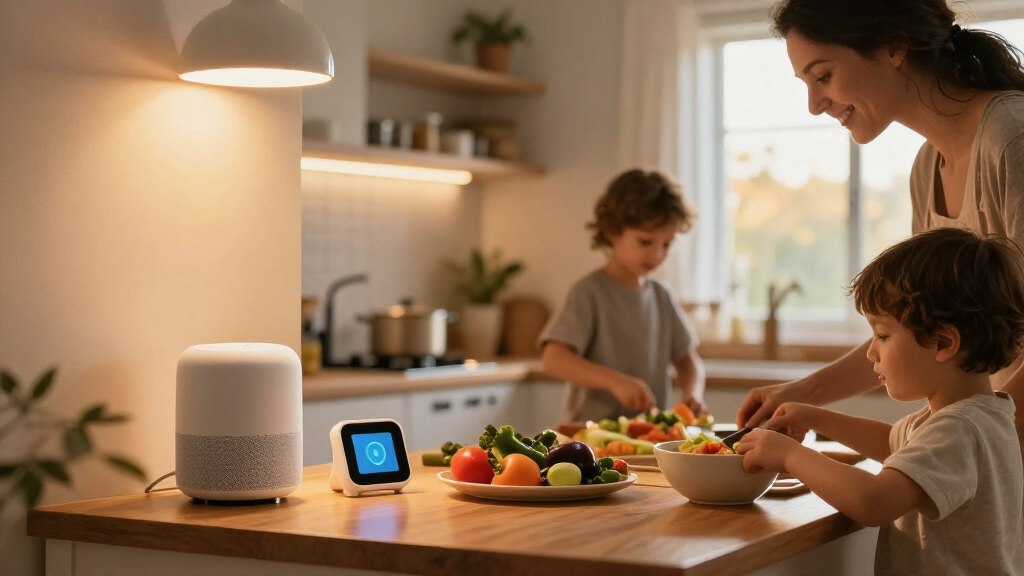
Family-oriented smart home devices are connected products designed to support household routines, comfort, communication, safety, and accessibility. Start with one recurring need, check compatibility and ongoing costs, and agree on privacy rules before adding cameras, microphones, or children’s accounts.
A hallway light that switches on before your child reaches the stairs can feel like a tiny bit of magic. But a smart speaker that records more than your family expects can make that same technology feel intrusive. The difference comes down to choosing devices around the way your household actually lives.

Turn the school run and nap time into listening time
- Thousands of audiobooks, podcasts and originals
- Listen on your phone, tablet or Echo — also offline
- Cancel anytime
Family-oriented smart home devices are connected products designed to make daily routines easier, improve comfort and safety, and help household members stay in touch. They include lights, thermostats, doorbells, speakers, locks, sensors, and appliances. This guide helps you sort out what each device can do, what to check before buying, and how to balance convenience with privacy and cost.
You don’t need to fill every room with blinking gadgets. Start with one repeated frustration, such as forgotten lights or a chilly bedroom, and see whether a device solves it reliably. A thoughtful first purchase can teach you more than a box full of products that don’t work together.
Start with one repeated household hassle and choose the smallest device that can address it.
Check the exact model’s platform, hub, and feature compatibility; Matter support does not guarantee identical features across ecosystems.
Agree on camera and microphone placement, recording, and child account rules before setup.
Include subscriptions, hubs, batteries, installation, and offline behavior in your cost comparison.
Keep simple manual controls so children, guests, and relatives can use essential devices without an app.
What family smart home devices can actually do for your routine
Family-oriented smart home devices are connected products that help household members manage routines, comfort, communication, safety, or accessibility. They range from voice-controlled lights to doorbells that send a phone alert when a package arrives. Their value comes from solving a real task, not from having the most features.
For instance, a parent carrying a sleeping toddler and a laundry basket might use a voice command to turn on the landing light. A smart thermostat can follow a schedule, while a door sensor can alert you if a back door stays open. These conveniences may be useful, but each device has its own needs: an app, a hub, Wi-Fi, a subscription, or occasional battery changes. Those requirements matter because they determine who can use the device, what happens when a connection drops, and how much attention it takes to keep it working.
The phrase family oriented smart technology can sound like a special product category, but it usually describes ordinary home devices configured for a shared household. A smart display might show a family calendar; a speaker might play music and set timers. The shared setup creates a tradeoff: one person’s convenient reminders or voice history may expose information to other household members. If young children use a product, check its age-appropriate settings, content controls, and purchase limits. For toys or other child products, check the recommended age and search the CPSC recall database before buying.
Think of a smart home like a kitchen drawer: a few well-used tools help, while extra gadgets can clutter the counter. The next question is which one deserves a place in your home.
Products Worth Considering

Graco EveryStep Slim 6-in-1 Convertible Highchair, Misty

Graco Grows4Me 4-in-1 Convertible Car Seat, West Point

Owlet Dream Duo 2 Smart Baby Monitor System with Camera and Sock
As an affiliate, we earn on qualifying purchases.
Pick the first device by solving one recurring household problem
The most useful first device is the one that eases a problem your family faces repeatedly. A smart light may help if someone often walks through a dark hallway, while a thermostat may suit a home where rooms swing from stuffy to chilly. There is no universal best starter device; the answer depends on your rooms, routines, and budget. A repeated problem is a better guide than a long feature list because it gives you a practical way to judge whether the device earns its cost.
Try this simple process before you shop:
- Name the friction. Write down one repeated hassle, such as forgetting to switch off lights or missing a delivery.
- Choose the smallest fix. Compare one device with a manual alternative. A motion-sensing bulb may be enough for a hallway.
- Check the real cost. Include installation, batteries, hub requirements, and any monthly subscription.
- Test the routine. Decide who will use it and what should happen when Wi-Fi or the app fails.
For instance, if packages get left in the rain, a video doorbell could help—but only if your family is comfortable with its camera and recording settings. A plain chime or delivery notification may meet the need with less monitoring. That choice illustrates a common tradeoff: richer information can make a device more useful, while also collecting more data and adding setup or subscription costs. Smart devices can improve comfort and save effort, yet energy savings depend on your home, energy prices, settings, and habits.
Start with one device and live with it for a few weeks. Notice whether it reliably helps, whether everyone can use it, and whether its alerts or maintenance become another chore. The experience will reveal whether your next purchase should solve a different problem or work with the first device.
Check compatibility before mixing brands and apps
Devices from different brands can work together when they support the same platform and features, but a compatibility label alone does not promise a seamless setup. Check the exact model, required hub, software version, and functions you plan to use. Compatibility affects more than whether a device can be added: it determines whether household members can control it in the same app and whether an automation will keep working after a software change. In a family home, a light that everyone can control matters more than a clever feature that only works from one phone.
Matter is a shared connectivity standard intended to help compatible products from different manufacturers work across major smart home systems. Some products also use Thread, a low-power networking technology that lets supported devices communicate locally. Support varies, and a device may need a particular hub to connect. Read the product’s compatibility details rather than assuming that “Matter” means every feature works everywhere. Basic commands may be shared while features such as detailed alerts, device history, or advanced routines remain tied to a manufacturer’s app.
A practical example: you already use one brand’s speaker, and you want a door sensor from another brand to turn on a lamp. Before buying, confirm that the speaker system supports the sensor and the automation you want. You may discover that basic control works across platforms, but advanced alerts need the manufacturer’s app. That can mean switching apps to diagnose problems or asking other household members to learn a separate interface.
Ask yourself how many apps your household is willing to manage. A family with shared tablets and guests may prefer a setup that keeps routine controls in one place, even if that means giving up a specialist feature. If a device depends on cloud services, check what still works when the internet drops or the company ends support; a wall switch or manual control can matter on a stormy evening. A setup that is easier to maintain can be more valuable than one with more features, especially when several people rely on it.
Set privacy rules before adding cameras, microphones, or child accounts
Families protect privacy best when they decide what a device may record, who can access it, and where it belongs before turning it on. Cameras, microphones, location data, and children’s accounts can affect everyone in a shared home. A clear household agreement makes the technology easier to trust because people know what is collected and can raise concerns before a device becomes part of the routine.
For instance, a doorbell camera may point at the front step, but a bedroom camera or an always-listening speaker in a private room can cross a line for someone who lives there or visits. Discuss placement and recording times together. If your child uses a smart speaker, review its content filters, voice recording controls, contact permissions, and purchase restrictions; settings vary by product and may change as children grow. More recording can provide useful evidence or alerts, but it also creates more sensitive data to secure and manage.
Use a strong, unique password for each important account, turn on multifactor authentication when available, install software updates, and limit app permissions to what the device needs. Look for settings that control recording retention and data sharing. Some systems process commands in the home, which can improve response time and reduce some data sharing, but local processing does not mean a device collects no data. Reviewing these settings periodically matters because product features and account permissions can change after updates.
Agree on what gets recorded before the first alert lands on your phone. A shared rule is easier to live with than a surprise camera.
For a family with older relatives or a visitor who stays often, explain how the devices work and how to pause or disable them. Privacy is a household routine too: a device is more likely to be accepted when people understand its limits and have a practical way to speak up.
Make controls easy for children, guests, and every household member
A family smart home works well when more than one person can use it without a tutorial. Voice commands, adjustable lighting, reminders, and remote controls may help an older relative or someone with a temporary injury. But voice interfaces may not suit people with speech or hearing differences, so keep physical controls available where possible. Providing more than one way to operate a device also helps when a phone is misplaced, an account is unavailable, or the internet is down.
Imagine a babysitter arriving while your phone is in another room. A labeled light switch or a simple wall control lets them turn on the entry light without logging into an app. Likewise, a grandparent visiting for the weekend shouldn’t need to learn a complex automation just to adjust the thermostat. Making essential controls obvious reduces the chance that guests will change settings they don’t understand or avoid using a device they need.
Keep routines plain and visible. A bedtime scene could dim the living room lights and switch off a hallway lamp after everyone has gone upstairs. Let children know what the routine does and how to ask an adult to change it. Parental controls can limit content, purchases, contacts, or device use, but they differ widely; check age-appropriate settings and revisit them as your child gains independence. A routine that is predictable helps children understand what the system does, while an easy override lets adults respond when the household’s needs change.
Reliability counts as much as a polished app. If a routine misfires, household members need a simple way to undo it. Keep a manual option for lights, locks, and other daily essentials, and show guests where it is. The cleverest automation is the one your family can understand and override.
Count subscriptions, outages, and upkeep before you buy
The sticker price doesn’t show the full cost of a smart device. Add any subscription, hub, installation, battery replacement, or service plan to your budget, then check what happens if your Wi-Fi fails or the company stops supporting the product. A low-cost camera may become less useful if the recordings you want require a monthly plan. These costs matter because a device that seems affordable at checkout may demand a longer commitment than the household expected.
For example, a family choosing a video doorbell might compare the purchase price with the cost of cloud video storage over a year. A smart bulb may avoid a subscription but need a compatible hub or replacement if it stops receiving updates. These details help you compare the device’s real cost with the convenience it offers. Consider the cost across several years too: batteries and subscriptions recur, while a hub or installation is usually an upfront expense.
Some lights, switches, and automations can keep working locally during an internet outage; cloud-based alerts and remote controls may not. Check each product’s offline behavior and support policy. Keep a manual switch for lights and a physical key or other backup for a smart lock, so a router problem doesn’t turn a routine into a scramble. A backup is especially important for anything that controls access or another daily essential because a brief outage can otherwise prevent a basic task.
Energy features may help reduce heating, cooling, or lighting use, but savings vary with your home, energy prices, settings, and habits. A thermostat that follows a sensible schedule may help a household that forgets to adjust the temperature. It may offer little benefit if someone is home all day and already manages the heating carefully. Choose a device for a clear fit, then judge its value by what your family actually uses, including the time spent maintaining it.
Frequently Asked Questions
What counts as a family-oriented smart home device?
It’s any connected home product meant to support household routines, comfort, communication, safety, or accessibility. Examples include smart lights, thermostats, speakers, doorbells, locks, sensors, and appliances.
Are smart home devices safe for children?
Families can use them responsibly by checking privacy settings, content and purchase controls, microphone or camera behavior, and age-appropriate settings. Talk about what a device does and review its settings as your child grows.
Can devices from different brands work together?
Sometimes. Check the exact model’s Matter support, ecosystem compatibility, required hub, and whether the specific features you want work across platforms; labels don’t guarantee every feature will.
Do smart home devices need Wi-Fi or the internet?
Many devices use Wi-Fi or cloud services, while some local controls and automations can continue without internet. Check each product’s offline behavior and keep a manual control for tasks your family relies on.
Do smart home devices require a monthly subscription?
Some basic functions come with the device, while video storage, advanced alerts, or certain AI features may require a paid plan. Check ongoing fees before buying and compare the yearly cost with the features your family will actually use.
How can my family protect privacy?
Use strong, unique passwords and multifactor authentication, install updates, limit app permissions, and review recording and data-sharing settings. Agree on camera and microphone placement with everyone who lives in or visits the home.
Conclusion
Choose one device that solves a problem your family can name, then check its compatibility, full cost, privacy settings, and offline controls before you bring it home. Add another only when the first one has earned its place in your routine.
A good smart home should feel less like a control room and more like a porch light glowing when you need it: quiet, useful, and easy for everyone to understand.