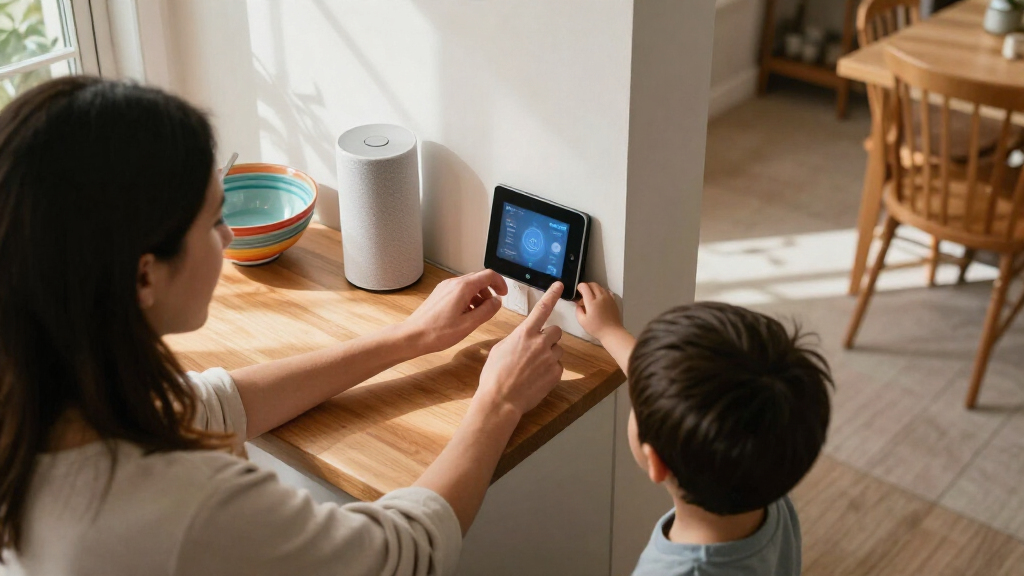

Families comparing Amazon Echo and Google Nest are choosing a shared home system, not just a voice-controlled speaker. The decision affects how easily parents can manage routines, how children access music and answers, which devices connect, and how much household activity passes through a cloud service. Both systems can control lights, plugs, thermostats, and other compatible devices, but they organize that experience differently.

Turn the school run and nap time into listening time
- Thousands of audiobooks, podcasts and originals
- Listen on your phone, tablet or Echo — also offline
- Cancel anytime

Amazon Echo Hub 8-Inch Smart Home Control Panel
- ✔ Display: 8-inch touchscreen, 1280 × 800
- ✔ Smart home connectivity: Wi-Fi, Bluetooth Low Energy Mesh, Zigbee, Thread, Matter controller, Sidewalk
- ✔ Audio: Two top-ported full-range speakers with stereo playback

Amazon Echo Show 5 Smart Display, Cloud Blue
- ✔ Display: 5.5-inch touchscreen
- ✔ Camera: 2 MP with built-in shutter
- ✔ Dimensions: 5.8 × 3.6 × 3.2 inches

Amazon Echo Dot (5th Gen) Smart Speaker, Deep Sea Blue
- ✔ Generation: 5th Gen
- ✔ Dimensions: 3.9 × 3.9 × 3.5 inches
- ✔ Weight: 10.7 oz (304 g)
Amazon Echo is the more flexible starting point for households that want a wide choice of compatible devices, Alexa routines, and features such as Drop In between supported Echo devices. Google Nest makes more sense for families already using Google services and for people who prefer Google Assistant for everyday questions and voice requests. Neither brand automatically makes a home child-safe: account settings, device placement, and parental rules still matter. The strongest choice depends on what the family already uses and how much control it wants over shared devices.
At a Glance
| Criteria | Amazon Echo | Google Nest | Winner |
|---|---|---|---|
| Smart home compatibility | Broad selection of Alexa-compatible products; check each device’s features and supported standards. | Works with compatible Google Home devices; confirm product support and features before buying. | A |
| Family routines and household control | Alexa routines can combine supported devices and actions; Echo features such as Drop In can help across rooms. | Google Home routines can coordinate supported devices and actions, with a familiar app for Google households. | Depends |
| Voice help and shared use | Useful for common commands, timers, reminders, and supported skills; behavior depends on device and settings. | Strong fit for Google services and everyday voice requests; available features depend on model, account, and region. | B |
| Parental controls and child suitability | Amazon Kids and parental settings are available on supported devices and accounts; setup and feature availability vary. | Family and content settings can be managed through Google accounts and supported controls; adult setup remains necessary. | Depends |
| Privacy and account management | Voice recordings and smart home data are managed through Amazon account settings; families should review retention and permissions. | Voice activity and device data are managed through Google account settings; families should review retention and permissions. | Tie |
| Device choice and household coverage | Many Echo models and third-party Alexa devices provide options across rooms and budgets. | Nest speakers, displays, and compatible Google Home products provide a focused set of options. | A |
| Value and flexibility | Often strong value when a family wants flexible hardware choices and broad device support. | Good value when Google services are already central and its features fit the household’s needs. | Depends |
Amazon Echo Hub 8-Inch Smart Home Control Panel
The Echo Hub is the clearest match for families who want a common place to manage compatible smart home devices. Its 8-inch touchscreen and customizable dashboard can keep controls for lights, cameras, routines, and security systems visible in one spot. Compared with the Echo Show 5, it gives more space to organize home controls and is designed around that task rather than calls and general media. Wall mounting can make it accessible to more than one person without tying up a kitchen counter, though a separately sold stand is needed for tabletop placement.Its connectivity range is a notable advantage in this lineup: Wi-Fi, Zigbee, Thread, Bluetooth, and Matter controller support give households more ways to connect compatible equipment. The Matter detail matters: the supplied information specifies controller functionality, so we should not read that as broader Matter features than stated. The Hub also needs an internet connection through Wi-Fi or Ethernet, and households should account for its fixed power arrangement. A compatible PoE setup is possible, but the converter is not included.For family use, the dedicated screen makes shared routines and device status easier to see than on the voice-first Echo Dot. The Echo Show 5 remains the more natural pick for video calls in a small room, while the Dot takes less space and avoids adding another screen. We would choose the Hub when centralized, visible control is the priority; families seeking a portable display, built-in video calling, or a low-setup voice speaker should look elsewhere. Its mic-off button and privacy controls are useful, although a wall-mounted panel still needs a placement that feels comfortable for everyone at home.
Pros:
- Customizable touchscreen dashboard can group and resize compatible device controls.
- Supports Wi-Fi, Bluetooth, Zigbee, Thread, Matter controller functionality, and Sidewalk.
- Can be wall-mounted, with a separately sold tabletop stand as another placement option.
- Includes a mic-off button and multiple privacy controls.
Cons:
- Tabletop stand, cable pass-throughs, and PoE converter are sold separately.
- Matter support is specified as controller functionality only.
- Requires internet through Wi-Fi or Ethernet and is not intended for portable use.
Best for: Families coordinating several compatible devices and routines who want a fixed touchscreen everyone can reach.
Not ideal for: Households that want a portable device, built-in video calls, or a tabletop display without buying an optional stand.
Bottom line: For families who want a shared, wall-mounted place to manage compatible home devices, the Echo Hub offers the most focused control experience in this group.
“For families who want a shared, wall-mounted place to manage compatible home devices, the Echo Hub offers the most focused control experience in this group.”
Amazon Echo Show 5 Smart Display, Cloud Blue
Families who want a screen for quick updates and calls may find the Echo Show 5 easier to place than the Echo Hub. Its 5.5-inch display and built-in camera support video calls, viewing compatible cameras, and checking items such as news or weather. That makes it a flexible bedside or kitchen companion. The Hub is better equipped to act as a central smart home panel, but the Show 5 offers a more rounded mix of communication and everyday media in a compact footprint.The built-in camera has a physical shutter, and a button can turn off the camera and microphone. Those controls give households a direct way to limit camera access when the screen is in a shared room. The included 1.75-inch speaker supports audio playback, though families focused on room-filling shared audio may prefer to evaluate a dedicated speaker setup; the Echo Dot is also mono, so neither compact option is presented as a multi-speaker home audio system here.Compared with the Echo Dot, the Show 5 provides visual information and calls instead of keeping interaction voice-only. Compared with the Hub, it has a much smaller screen and is not described with the Hub’s Zigbee, Thread, or Matter connectivity. That makes it a better fit for one-room communication and glanceable information than household-wide device organization. We would skip it if a large shared dashboard is the main need, or if camera-free smart home control is preferred. Its stated wireless limitations, including no ad-hoc or peer-to-peer Wi-Fi support, should also be checked against the household’s network setup.
Pros:
- 5.5-inch touchscreen supports at-a-glance information and touch interaction.
- Built-in camera supports video calls and viewing compatible cameras.
- Physical camera shutter and microphone/camera off button provide privacy controls.
- Uses recycled polyester yarn and recycled aluminum, with recyclable packaging.
Cons:
- Smaller screen is less suited to organizing many home controls than the Echo Hub.
- Camera and microphone may not suit households that prefer a camera-free shared device.
- Does not support ad-hoc or peer-to-peer Wi-Fi networks.
Best for: Families who want a compact screen for video calls, compatible camera viewing, and quick daily information.
Not ideal for: Households looking for a larger central dashboard or a screen-free device with no camera.
Bottom line: Choose the Echo Show 5 when calls and quick visual checks matter more to your family than a dedicated, larger home control panel.
“Choose the Echo Show 5 when calls and quick visual checks matter more to your family than a dedicated, larger home control panel.”
Amazon Echo Dot (5th Gen) Smart Speaker, Deep Sea Blue
The Echo Dot is the simplest choice for a family that mainly wants voice access to Alexa, music, podcasts, audiobooks, and compatible smart home routines. Its compact, screen-free design can fit on a bedside table or shelf without turning that spot into another display surface. Motion and indoor temperature sensors add useful context for routines, while Matter and Bluetooth connectivity support compatible devices. The Echo Hub still leads for visible shared controls, and the Show 5 is the clear choice when camera viewing or video calls matter.For households already using a compatible eero network, eero Built-in can extend coverage by up to 1,000 square feet. That potential benefit depends on having a compatible eero router, linking an account, and using the eero app, so it is not a general-purpose range extender for every home. The speaker has a single 1.6-inch full-range driver and mono playback: enough for a compact voice-first device, but it does not offer the visual information or multi-control layout available on the Echo Hub and Show 5.We would put the Dot in a room where hands-free commands and simple routines are more valuable than a screen. It is also the least complicated fit for someone who wants to start with voice controls before building a larger system. Families who need children or guests to see device states and select controls directly may find the lack of a display limiting. The device’s eero feature is conditional, and it does not support ad-hoc Wi-Fi networks; buyers should also note the listed 90-day limited warranty. As a compact assistant it earns its place, but it ranks third because its interface is less useful for shared visual management.
Pros:
- Supports voice control of compatible devices and routines.
- Built-in motion and indoor temperature sensors can inform routines.
- Plays music, audiobooks, and podcasts from supported services or Bluetooth.
- Can extend a compatible eero network by up to 1,000 square feet.
Cons:
- No touchscreen for shared visual controls or camera viewing.
- eero Built-in requires a compatible router, account linking, and the eero app.
- Does not support ad-hoc Wi-Fi networks.
Best for: Families who want a compact speaker for voice commands, audio, and compatible routines, especially those with a compatible eero network.
Not ideal for: Households that need a shared touchscreen, video calls, or visual access to camera feeds and device controls.
Bottom line: The Echo Dot is a practical compact voice assistant for routine control, but families needing a shared visual interface should choose one of the two displays.
“The Echo Dot is a practical compact voice assistant for routine control, but families needing a shared visual interface should choose one of the two displays.”
As an Amazon Associate we earn from qualifying purchases.
Key Differences
The biggest practical difference is the ecosystem each system favors. Echo gives families a broad path into Alexa-compatible products and flexible automation. That can reduce the effort of finding a device for a specific room or function, though compatibility labels and capabilities still need checking. Nest is a more natural fit when family calendars, media, phones, or other daily tasks already depend on Google. The convenience comes from continuity with that setup, rather than from a universal advantage across every smart home device.
For shared family use, both can handle simple routines and common voice tasks, but neither replaces clear household rules. Parents should decide which accounts are linked, what children can purchase or play, whether voice history is retained, and which rooms should have microphones. Echo has an advantage for choice and some household-to-household communication features; Nest has an advantage for families who want Assistant and Google services in the same flow. Paying more for extra hardware makes sense only when the added device or ecosystem feature solves a real household need.
Detailed Comparison
Smart home compatibility (Amazon Echo wins — moderate)
Amazon Echo wins, with a moderate gap in breadth. Alexa works with a wide range of smart home products, which gives families more chances to find compatible bulbs, plugs, sensors, and appliances at different price points. Nest also supports a substantial set of compatible products, but a household with unusual or mixed devices may have an easier time finding Alexa support. In either case, check the exact model and functions: compatibility does not promise that every feature will work through voice or a routine.
Family routines and household control (moderate difference)
Depends on the household, with a moderate difference in convenience. Alexa routines can tie supported devices and actions together, while Google Home routines serve a similar role for compatible equipment. Echo’s Drop In feature can support quick room-to-room communication when enabled, which some families may find useful. Google’s routine setup can feel more straightforward when the household already uses Google Home and related services. The better fit is the system the adults will actually configure and maintain.
Google Nest has a modest edge for Google-centered households. Nest is the more direct fit for people who use Google services and want voice requests to work alongside that account environment. Echo handles common commands, timers, reminders, and a large set of Alexa skills. For basic tasks such as setting a kitchen timer or switching off a compatible lamp, the difference is usually small. Families should test the requests they use most and consider which assistant’s responses and linked services suit everyone sharing the device.
Parental controls and child suitability (major difference)
Tie, with a major need for adult setup on both platforms. Amazon Kids and Google account and content controls offer ways to shape children’s access on supported devices, but the features depend on model, region, account configuration, and subscriptions. Neither system should be treated as child-proof by default. Parents need to review purchasing, explicit content, linked accounts, and voice access, then explain which commands children may use. A family that wants tightly managed screen time or child-specific communication should verify the current controls before purchasing.
Privacy and account management (major difference)
Tie, with a major household policy decision. Both systems process voice requests through their respective services, and each offers account settings for reviewing or managing some voice activity. The controls and retention choices differ, so families should inspect the current settings rather than assume either system stores or deletes data in a particular way. In practice, microphone placement, account permissions, linked services, and whether adults regularly review activity matter more than the brand name alone.
Device choice and household coverage (Amazon Echo wins — moderate)
Amazon Echo wins by a moderate margin in range of choices. Echo has a broad assortment of speakers and displays, alongside many compatible third-party products. That helps a family match a device to a kitchen, bedroom, or shared living area without committing to one expensive model everywhere. Nest has a more focused product lineup that can be easier to standardize for a Google household. Families should compare the specific models they need, since screen, audio, and connectivity features vary across both ranges.
Value and flexibility (moderate difference)
Depends on existing services, with a moderate difference in value. Echo is often the better value when flexibility and device choice are priorities, especially if the family plans to build a mixed smart home over time. Nest may be the better value when the household already uses Google services and its devices cover the required rooms and tasks. A higher purchase price is worth paying only for a feature the family will use, such as a display in a shared space or a specific integration. Buying extra speakers before routines are established can add cost without much benefit.
Amazon Echo: Pros and Cons
Pros:
- Broad Alexa-compatible device selection across many product types and price levels.
- Flexible routines for coordinating supported devices and actions.
- Echo models and third-party options make it easier to tailor coverage by room.
- Drop In can support quick communication between enabled Echo devices.
Cons:
- Compatibility and feature support vary by product, so families must check details before purchase.
- Amazon Kids and other parental settings require adult setup and may vary by device or region.
- Alexa’s wider feature set can take time to configure and maintain across a busy household.
- Voice activity and linked permissions need review in Amazon account settings.
Google Nest: Pros and Cons
Pros:
- Natural fit for families already using Google services and accounts.
- Google Assistant and Google Home routines support common voice and smart home tasks.
- A focused product family may be simpler to standardize for a Google-centered home.
- Google account settings provide controls for managing voice activity and connected services.
Cons:
- The overall device selection is narrower than the Alexa-compatible ecosystem.
- Compatibility still depends on the exact product and supported functions.
- Child and content settings vary and require adult review; the system is not child-proof by default.
- Less compelling if the household relies mainly on Amazon services or needs a specific Alexa integration.
Who Should Choose What
Choose Amazon Echo if:
- You want the widest choice of compatible smart home products and price points.
- Your home has mixed devices or you expect to add sensors, plugs, and appliances over time.
- You want Echo devices in multiple rooms or value Drop In for family communication.
- You are willing to manage Amazon account, privacy, and child settings yourself.
Choose Google Nest if:
- Your family already relies on Google services and prefers to keep voice requests in that ecosystem.
- You want Google Home routines and Assistant features for daily shared tasks.
- The Nest models and integrations you need cover your home without requiring a broader selection.
- You value continuity with existing Google accounts more than maximum device choice.
Skip both if: Skip both if your household does not want microphones in shared rooms, needs strict offline control, or requires child controls that these platforms cannot meet. Consider local-control smart home equipment or a simpler set of manual switches instead.
Value for Money
Echo is the stronger general value for families who want options: its broad compatible-device range makes it easier to choose products by room and budget. That advantage matters most when building a smart home gradually or mixing brands. Nest can be better value for a household already invested in Google services, since familiar accounts and routines may save setup effort and make its narrower selection sufficient.
Pay more only for a feature that changes daily use. A display can help in a shared kitchen, while another speaker may add little if one device already covers the room. Compare the exact models and any required subscriptions before buying; family and content features can depend on the device, region, account, or plan.
Final Verdict
For most families starting a flexible smart home from scratch, Amazon Echo is the safer default because it offers more choice across compatible devices and room setups. Choose Google Nest if Google services already anchor the household and you want voice assistance and routines to fit that environment. The deciding factor is not which assistant sounds more impressive: it is whether the family values broader device choice or tighter continuity with the services it already uses. In either case, set up child access and privacy controls before making the devices part of family routines.
Frequently Asked Questions
Which is better for a family smart home, Amazon Echo or Google Nest?
Amazon Echo is the better starting point for broad device choice and flexible additions. Google Nest is a better fit when the family already uses Google services and wants its smart home setup to follow that pattern. Check compatibility and parental settings for the exact devices you plan to buy.
Are Amazon Echo and Google Nest safe for children?
Both offer settings that can help adults manage children’s access, but neither is automatically child-proof. Review purchasing, explicit content, linked accounts, voice history, and device placement. Confirm which controls apply to the model, account, and region before relying on them.
Can Echo and Nest control the same smart home devices?
Many products support both Alexa and Google Home, but support varies by device and feature. Check the product’s compatibility details and confirm that the controls or routines your family needs are available on the chosen platform.
Is it worth paying more for a smart display instead of a speaker?
Pay more when a screen helps with a regular family task, such as checking a shared calendar or viewing compatible camera feeds in a common area. If the household mainly wants timers, music, and voice control, a speaker may offer better value.