
TL;DR

Turn the school run and nap time into listening time
- Thousands of audiobooks, podcasts and originals
- Listen on your phone, tablet or Echo — also offline
- Cancel anytime
Kids’ educational tablets are evolving with features like parental controls, AR, and adaptive learning. Picking the right device means considering age, safety, durability, and content quality for balanced learning and fun.
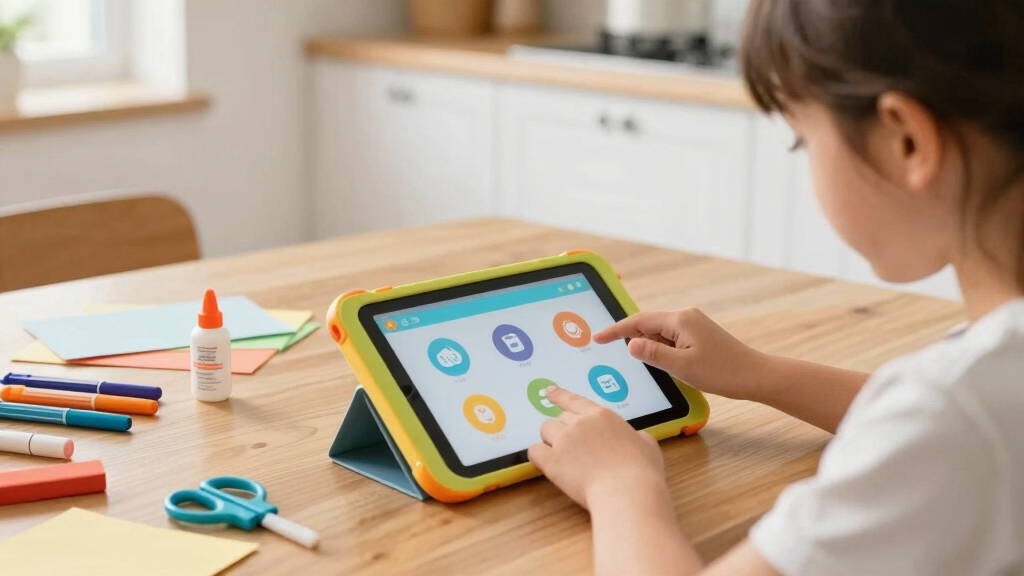
Imagine a tablet that sparks your child’s curiosity like a treasure chest of knowledge. It’s not just about playing games—these devices are shaping how kids learn in a digital age. But with so many options, how do you pick one that’s safe, fun, and actually educational?
In this guide, you’ll learn which features matter most, what recent tech innovations are changing the game, and how to match a tablet to your child’s age and interests. Think of it as decoding the secret recipe for a perfect learning gadget.
What Makes a Kids’ Educational Tablet Safe and Age-Appropriate?
Kids’ tablets are designed with safety and age in mind. They come with parental controls that let you monitor usage, set time limits, and block unsuitable content. For example, the Amazon Fire Kids Edition has a built-in ‘Kids Dashboard’ that allows parents to approve apps and set daily screen time limits.
Most devices specify suitable age ranges, from toddlers (2-4 years) to pre-teens (8-12 years). Choosing a device meant for your child’s age ensures content is relevant and not overwhelming. Durability also matters—look for shockproof, spill-resistant designs that can handle a child’s rough handling.
For example, the LeapFrog Epic 7 is built with a rugged case, perfect for active kids who might drop or spill on their device. Always check for CPSC recall checks before purchase to avoid safety issues.
Understanding why these safety features matter is crucial. Parental controls help prevent exposure to inappropriate content and limit screen time, which is essential for healthy development. Durability reduces the risk of costly repairs or replacements, ensuring the device remains a reliable learning tool over time. Selecting age-appropriate content prevents frustration and promotes engagement, making learning both safe and effective.
As an affiliate, we earn on qualifying purchases.
How to Pick the Perfect Educational Content for Your Kid
Content is king when it comes to educational tablets. Focus on apps that align with your child’s interests and learning needs. For instance, a 5-year-old learning to read will benefit from ABCmouse or Khan Academy Kids, which offer engaging stories and interactive lessons.
Choose devices with preloaded educational apps or access to a curated app store. Look for content that promotes skills in math, reading, science, and creativity. For older kids, STEAM-focused apps and AR features can turn learning into an adventure.
Remember, quality beats quantity. A few well-chosen apps can be more effective than dozens of mediocre ones. Watching your child interact with meaningful content helps them develop skills without screen fatigue.
Delving deeper, selecting the right content involves assessing the pedagogical approach of the apps—do they encourage critical thinking, problem-solving, or creativity? High-quality educational content not only imparts knowledge but also fosters curiosity and a growth mindset. Conversely, poorly designed apps might promote passive consumption or distract from learning objectives. Therefore, parents should consider reviews, educational credentials, and alignment with curriculum standards to ensure the content truly benefits their child’s development, making the device a powerful learning companion rather than just a distraction.
As an affiliate, we earn on qualifying purchases.
Latest Tech Trends Making Kids’ Tablets Smarter
Kids’ tablets are getting smarter with technology like AR (Augmented Reality) and AI-powered personalization. For example, some devices now incorporate AR features that turn a living room into a science lab or a zoo, making learning immersive and fun.
Enhanced parental controls now include real-time activity reports and remote management, giving parents peace of mind. The market is also shifting toward eco-friendly materials, with more devices made from sustainable, recyclable components.
Subscription services for curated content are growing, offering ongoing learning adventures. According to recent studies, these innovations help keep children engaged longer and foster a love for learning.
Understanding these technological advancements is important because they significantly impact how children interact with their devices. AR and AI enable personalized, interactive experiences that adapt to a child’s learning pace, making education more engaging and effective. However, these features also come with tradeoffs, such as increased costs and potential privacy concerns. Being aware of these trends helps parents make informed choices, balancing innovative features with safety and value. Embracing eco-friendly materials not only benefits the environment but also reflects a commitment to sustainability, which can be a valuable teaching moment for children about responsible consumption.
kids' tablet with parental controls
As an affiliate, we earn on qualifying purchases.
As an affiliate, we earn on qualifying purchases.
educational tablet for preschool children
As an affiliate, we earn on qualifying purchases.
As an affiliate, we earn on qualifying purchases.
Cold & flu season Picks
humidifiers
As an affiliate, we earn on qualifying purchases.