
TL;DR

Turn the school run and nap time into listening time
- Thousands of audiobooks, podcasts and originals
- Listen on your phone, tablet or Echo — also offline
- Cancel anytime
Prebuilt AI workstations are now often priced competitively with DIY builds, thanks to component shortages and bulk buying. The decision hinges on whether you prioritize immediate deployment, support, and customization, or control and upgradeability.
You’re staring at a high-stakes decision: do you build your own AI workstation, or buy a prebuilt machine ready to go? The answer used to be simple—build for savings, buy for speed. But in 2026, the landscape has shifted. Component shortages, rising prices, and an AI boom mean prebuilts are often just as affordable, if not more so. Knowing which route fits your workload, budget, and skills can save you time, money, and headaches.
This isn’t just about pennies. It’s about control, support, and how quickly you can start training models or running inference. So, let’s unpack the real differences — the tangible benefits and hidden pitfalls — so you can make a smart choice that matches your goals.
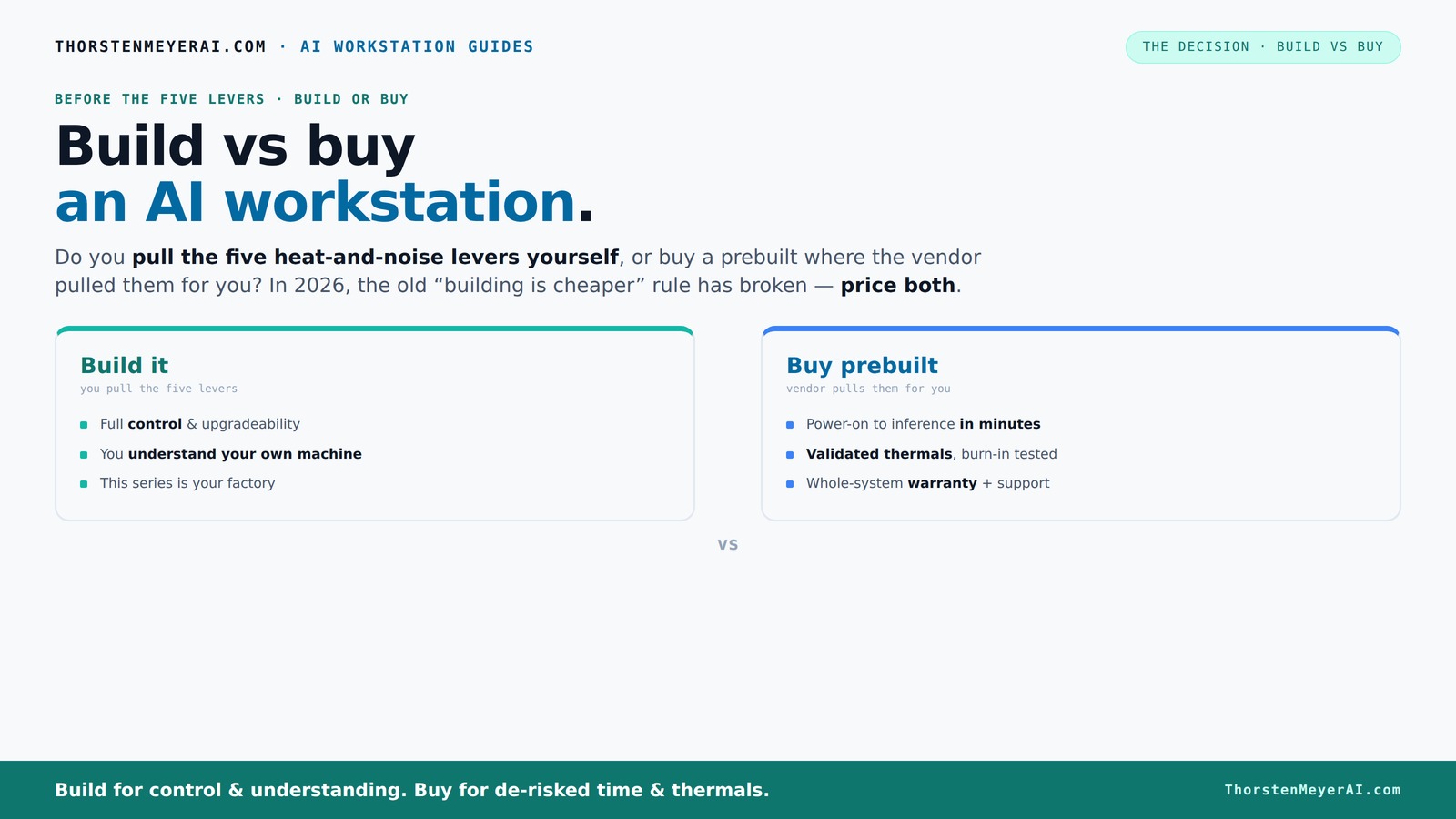
Build vs buy
an AI workstation.
The real question behind this whole series: do you pull the five heat-and-noise levers yourself, or buy a prebuilt where the vendor pulled them for you? And in 2026, the old “building is cheaper” rule has broken. Match your situation in Part 3.
Key Takeaways
- Component shortages and market shifts mean prebuilts often cost the same or less than DIY builds in 2026.
- Prebuilts save time and reduce risk by providing validated thermals and warranty support, ideal for professional workloads.
- Building offers full control, transparency, and upgradeability, perfect for hobbyists or long-term lifecycle planning.
- Choose based on workload urgency, budget, and your comfort with hardware tuning — there's no one-size-fits-all.
- Always compare prices for your exact config and consider the total cost of ownership, not just initial price.
As an affiliate, we earn on qualifying purchases.
Why Building Might Still Make Sense (If You Love Control and Customization)
Building your own AI workstation means you pick every part — from the quiet GPU to the cooling fans that whisper under load. If you enjoy the process, know how to tune fans or undervolt a GPU, this route offers full control. For example, you can choose a quiet GPU and fine-tune it for maximum efficiency, reducing noise and heat. This is especially valuable if you’re working in a shared space or need silence during long training runs.
Plus, building gives you transparency. You see exactly which components go in — avoiding proprietary parts or hidden quality issues often found in prebuilts. And if something breaks, you know how to fix it. It’s a hobbyist’s playground, and the learning curve pays off if you want to master your hardware.
Deep control over your hardware allows you to optimize for specific workloads, balancing power, noise, and thermal output. This can lead to significant performance improvements if you’re willing to invest the time in tuning. However, it also means you assume all responsibility for compatibility, stability, and troubleshooting — a tradeoff that might not suit everyone.
As an affiliate, we earn on qualifying purchases.
When Buying a Prebuilt Is the Smarter Move (Speed, Support, and Less Hassle)
If your priority is getting up and running fast, prebuilt AI workstations deliver plug-and-play convenience. They come with the OS, drivers, and AI software stack preinstalled. For busy professionals, this means you can start training or inference in minutes, not hours or days.
Reputable vendors like Lambda and Puget Systems rigorously test thermal performance, run burn-in procedures, and offer warranties. This reduces the risk of thermal throttling or hardware failure during critical workloads. For instance, a system validated for “up to 30% lower noise” can make a huge difference during long GPU training sessions.
Plus, buying a prebuilt often means better support — if something goes wrong, your vendor has your back. This matters more in a professional setting, where downtime costs money and time is precious.
Moreover, prebuilt systems often come with optimized configurations that are tuned for stability and longevity, minimizing the trial-and-error often involved in DIY setups. This can save you time and frustration, especially if you lack deep hardware expertise. The tradeoff is less flexibility for customization but a more predictable and reliable experience overall.
As an affiliate, we earn on qualifying purchases.
Component Quality and Transparency: Building for Confidence or Cutting Corners?
When you build, you control every piece — from the CPU to the power supply. You can prioritize high-quality parts like a quiet GPU and a robust PSU, ensuring your system is reliable and upgradeable. DIY builders often choose well-known brands, avoiding proprietary or low-tier components.
Prebuilts, however, sometimes use lower-cost or proprietary parts that limit future upgrades or repairs. It’s worth scrutinizing the build sheet or asking questions. A trusted vendor will disclose their parts list and provide transparency, giving you confidence in the hardware’s longevity and performance.
Deep transparency in component selection allows you to assess the quality and future upgrade potential. For example, a DIY build might incorporate a proven quiet cooler and a standard ATX motherboard, facilitating straightforward upgrades. Conversely, prebuilts might use custom connectors or integrated components that complicate repairs or future enhancements, potentially leading to higher costs or delays when upgrading.
AI workstation support and upgrade
As an affiliate, we earn on qualifying purchases.
As an affiliate, we earn on qualifying purchases.
Cost Dynamics: Is Building Still Cheaper in 2026?
Traditionally, building your own AI workstation was cheaper. But recent market shifts have flipped that script. The pandemic-induced component shortages caused prices for GPUs, DDR5 RAM, and SSDs to spike — sometimes by as much as 30%. A build that cost around $1,000 in 2024 now demands over $1,250.
Meanwhile, prebuilts bought components in bulk before the shortages worsened, allowing vendors to offer competitive prices. A high-end prebuilt with a undervolt-tuned GPU and validated cooling can match or beat DIY costs, especially when factoring in the time saved on troubleshooting and assembly.
Furthermore, the rising costs of individual components mean that DIY builds now require more careful component selection and potentially more troubleshooting, which can add hidden costs in time and effort. The economies of scale enjoyed by prebuilt vendors often translate into better overall value, especially when considering the total cost of ownership over the system’s lifespan.
Thus, the old rule — “build always saves money” — no longer applies universally. Carefully compare prices for your specific configuration, factoring in both initial costs and ongoing maintenance or upgrades.
Upgradeability and Lifecycle Planning: Which Keeps You Ahead?
Building your own system means you can plan for future upgrades — swapping out GPUs, adding RAM, or improving cooling. It’s flexible, especially with standard ATX parts. For example, you might start with a mid-range GPU and upgrade to a higher-tier one after a year.
Prebuilts, especially from OEMs, sometimes limit upgrade options due to proprietary connectors or cramped layouts. This can lock you into a specific vendor or delay future enhancements. Check the vendor’s upgrade policy and motherboard compatibility before buying.
Thinking long-term, a DIY build allows you to adapt as your workload evolves, potentially extending the system’s useful life and protecting your investment. Conversely, prebuilts are often designed for a fixed lifespan, with limited upgrade paths, which might necessitate a full replacement sooner. Your choice should align with your projected workload growth and desire for future-proofing.
AI Optimization and Software Compatibility — Does It Matter?
Prebuilts often come with hardware-software co-optimization. Vendors like Dell and ASUS leverage ISV-validated configurations, ensuring better offloading for AI workloads. For instance, AI-specific hardware like NPUs can accelerate inference tasks, making real-time applications smoother.
Building your own allows maximum customization, but you must verify compatibility. You can choose a quiet GPU and tune the system for your specific AI stack. However, if you’re new to hardware, this could mean troubleshooting driver conflicts or software incompatibilities.
Optimized hardware configurations can significantly reduce latency and power consumption, which is crucial for deploying AI models in production environments. The tradeoff is that manual setup requires more technical expertise but offers tailored performance tuning that can give you a competitive edge.
Making the Final Call: What’s Your Workload and Risk Tolerance?
The ultimate decision hinges on your workload, skills, and how much risk you’re willing to accept. If you're running critical AI models, value support, and want to get started fast, a prebuilt is often smarter. It’s like buying a car pre-assembled — reliable, quick, with warranty support.
But if you’re a tinkerer, enjoy learning, or want to customize every detail, building your own system offers unmatched control. It’s a longer process, but you learn how each part performs under load and how to fix problems yourself.
Assess your project’s urgency, your technical expertise, and your willingness to troubleshoot. For mission-critical tasks, prebuilts reduce risk and downtime. For experimentation and learning, DIY provides a deeper understanding and flexibility. Your choice should reflect your specific requirements and comfort with hardware management.
Frequently Asked Questions
Is it cheaper to build or buy a prebuilt AI workstation?
In 2026, component shortages have pushed prices up, making prebuilts often just as affordable as DIY builds. Always compare exact configurations before deciding, as the market has shifted from the traditional rule that building is always cheaper.Which option offers better performance for the money?
Generally, DIY can maximize specs within a set budget, but prebuilts often include optimized hardware and validated cooling, sometimes giving better performance-per-dollar especially when factoring in support and troubleshooting time.Can I upgrade a prebuilt later?
It depends. Many prebuilts use standard parts, but some OEM designs include proprietary connectors or limited space. Check the vendor’s upgrade policy before buying if future expandability matters.Are prebuilt workstations reliable for heavy AI tasks?
Yes, especially when bought from reputable vendors. They perform rigorous burn-in tests and include warranties, reducing the risk of thermal throttling or hardware failures during intensive workloads.What are the most important specs for AI workloads?
GPU performance, RAM capacity, and fast storage are key. A quiet GPU and well-ventilated case also matter for sustained training or inference, especially in noisy or shared environments.Conclusion
The choice between build and buy isn’t just about saving pennies. It’s about aligning your project’s needs with your skills, timeline, and risk appetite. In 2026, prebuilts challenge the old rule — sometimes they’re the smarter, faster, and more reliable choice.
So, ask yourself: do you want to tinker and customize, or get straight to work? Whichever path you choose, remember — your AI system is only as good as the decisions you make today.
Fall Picks
fall essentials
As an affiliate, we earn on qualifying purchases.